Google is expanding its generative AI portfolio beyond chat and search.
With Google Stitch, the company is rethinking how digital interfaces are designed. Stitch is an AI-powered UI builder that transforms plain-language prompts into structured web and mobile app layouts — and now, Google has officially introduced Design Systems support inside the platform.
The update signals a shift: Stitch is no longer just a rapid mockup tool. It’s becoming a more scalable product design solution.
Here’s what Google Stitch is, what the new release means, and how you can use it.
What Is Google Stitch?
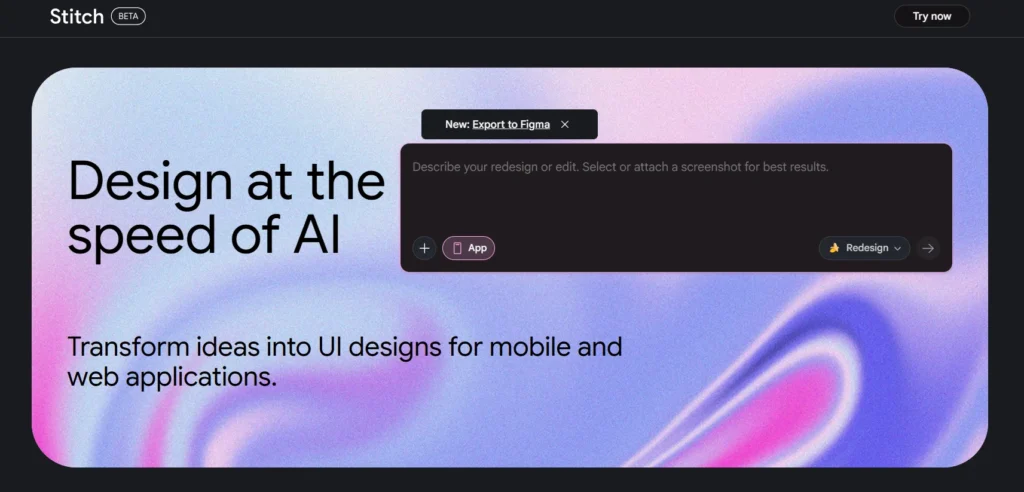
Google Stitch is a browser-based AI design tool built in Google Labs and powered by Gemini models. It allows users to describe an interface in plain English and instantly generate structured UI screens.
For example:
“Create a modern SaaS dashboard with analytics cards and sidebar navigation.”
Stitch generates a full interface layout, including:
- Navigation elements
- Content blocks
- Buttons
- Spacing and visual hierarchy
Users can refine the output conversationally, adjusting design elements without manually rebuilding layouts.
Unlike traditional design software, Stitch also exports frontend-ready code such as HTML, CSS, and React components — reducing the gap between design and development.
Google Introduces Design Systems in Stitch
Google recently announced Design Systems in Stitch, a major feature upgrade.
The company describes it as a way to:
Build a single source of truth to keep your screens visually consistent. Create your styles once, then instantly apply them to any new or existing designs.
This means users can now:
- Define brand colors
- Set typography scales
- Establish spacing rules
- Standardize visual components
Once created, those styles apply across all generated screens.
Why this matters: AI-generated designs can look impressive, but consistency across multiple pages is essential for real-world products. Design Systems address that gap.
This update moves Stitch closer to production-ready workflows.
What Can You Use Google Stitch For?
Stitch supports both mobile and web UI generation.
Mobile App Design
You can generate:
- Onboarding flows
- Fintech dashboards
- Messaging interfaces
- User profile screens
- Subscription flows
Stitch generates UI layouts and frontend code — not full native app deployment.
Web Applications & SaaS Dashboards
Stitch is particularly strong for:
- SaaS dashboards
- Admin panels
- CRM platforms
- Analytics tools
- Startup MVP interfaces
Because it exports HTML/CSS and React, it integrates smoothly with modern frontend stacks.
Landing Pages & Marketing Sites
You can also create:
- Product landing pages
- Pricing sections
- Signup flows
- Feature comparison layouts
This makes it useful for early-stage founders validating ideas quickly.
How to Use Google Stitch
The workflow is straightforward:
Step 1: Access Stitch
Log in through your Google account in the browser.
Step 2: Enter a Detailed Prompt
Describe the app type, style, and required components.
The more specific the description, the better the result.
Step 3: Refine the Layout
Adjust the design using conversational instructions.
Step 4: Apply a Design System
Define your brand’s:
- Colors
- Typography
- Spacing
- Visual style
Apply it across all screens for consistency.
Step 5: Export
Download frontend-ready code or export to Figma for further refinement.
Where Stitch Fits in the Design Ecosystem
Stitch does not replace established design platforms outright. Tools like Figma still offer deep control, collaboration layers, and advanced component systems.
But Stitch sits at a different layer:
- Rapid ideation
- AI-assisted layout generation
- Early-to-mid stage prototyping
- Design-to-code acceleration
With Design Systems now built in, Stitch moves closer to being usable beyond just experimental drafts.
What Stitch Is Not
To set expectations clearly:
- It is not a backend builder
- It does not handle databases or APIs
- It does not publish apps directly to app stores
- It does not fully replace professional design platforms
Its strength lies in UI generation and frontend acceleration.
Why This Matters
The introduction of Design Systems signals Google’s intent to evolve Stitch beyond experimentation.
Without consistency, AI-generated interfaces remain prototypes. With design systems, they begin to resemble scalable product environments.
For startups, product teams, and frontend developers, this means:
- Faster MVP development
- Reduced design-to-code friction
- More consistent UI across multiple pages
- Shorter iteration cycles
AI is no longer just assisting interface creation — it is structuring it.
Conclusion
Google Stitch started as a text-to-UI generator. With the introduction of Design Systems, it is becoming a more complete AI-powered design workflow tool.
It supports mobile and web interfaces, exports usable frontend code, and now enables centralized style management.
Stitch won’t replace designers or developers. But it will significantly change how digital products begin — accelerating ideation, reducing manual layout work, and compressing time to prototype.
As Google continues refining the platform, Stitch could become a meaningful layer in modern product development stacks.