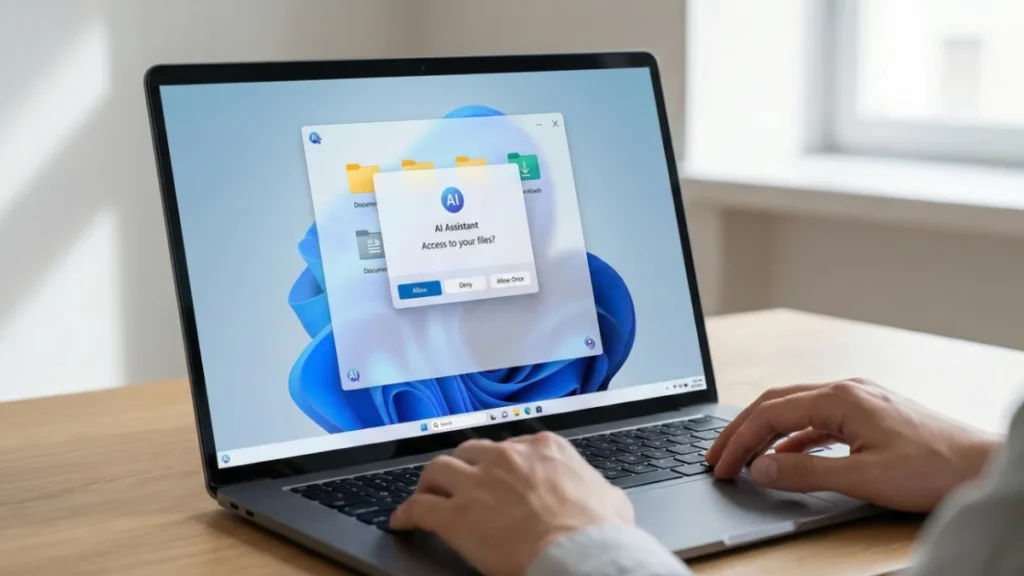
Microsoft is trying to slow a growing backlash around AI agents in Windows 11, and it’s starting with a key reassurance: those agents won’t quietly dig through your files.
In an updated support document published this week, Microsoft clarified how its upcoming “agentic” AI features will interact with personal data. The company says that even if users enable experimental AI agents in preview builds of Windows 11, those tools won’t receive automatic access to documents, photos, downloads, or other personal folders.
That clarification comes after weeks of speculation and concern following Microsoft’s announcement that AI agents — including Copilot, Researcher, and Analyst — represent the next major evolution of AI inside Windows.
No Default Access, Even When Agents Are Enabled
The fear was simple: flip on experimental AI agents, and Windows would quietly open the door to your files.
Microsoft now says that isn’t how it works.
According to the company, AI agents must explicitly request permission each time they need to access files. When that happens, Windows will show a familiar permission dialog, giving users the option to allow access once, always allow it, or deny it entirely. Nothing happens without a clear yes from the user.
In other words, enabling agents doesn’t grant blanket access behind the scenes.
Different Agents, Different Rules
There’s another safeguard that wasn’t obvious before: permissions apply per agent.
Users can approve file access for one agent — say, Researcher — while blocking others like Copilot or Analyst. That separation matters as Microsoft rolls out multiple agents with different roles and levels of autonomy.
It’s a step toward control, not just convenience.
The Catch: All or Nothing Folder Access
Still, the updated explanation doesn’t eliminate every concern.
Right now, permissions aren’t granular. If you approve access, an agent can see all personal folders at once — documents, pictures, videos, downloads, music, and even the desktop. There’s no way to allow access to just one folder.
For users who want to tightly limit what AI can touch, that’s a blunt instrument.
Microsoft notes that AI agents are still in early testing, leaving room for change. But until folder-level controls exist, cautious users may hesitate.
Why Skepticism Isn’t Going Away
Even with clearer rules around file access, AI agents introduce new risks.
Microsoft has already acknowledged that agents could expand the attack surface for malware. Combine that with Windows 11’s uneven update track record, and the idea of autonomous AI tools acting on your behalf starts to feel less comforting.
Unlike traditional apps, agents can chain actions together — meaning small mistakes could snowball quickly.
You’re Not Forced to Opt In
For now, users still have the simplest safeguard of all: don’t turn agents on.
Just like Recall, another AI feature that sparked privacy controversy, agentic AI in Windows 11 is optional. If you’re unsure, staying out may be the safest move until the technology — and its guardrails — mature.
Conclusion
Microsoft’s clarification helps, but trust isn’t restored overnight. AI agents in Windows 11 may ask before they act — but many users are still deciding whether they want to invite them in at all.